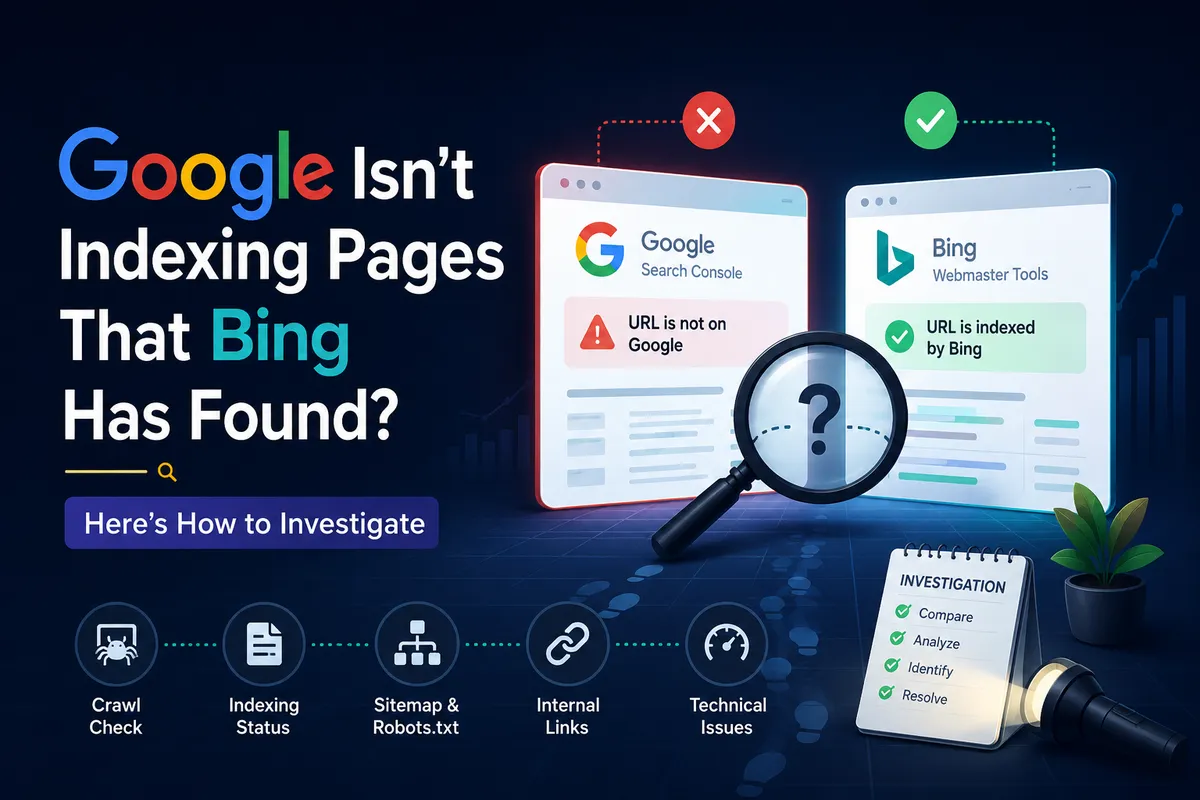
Google Search Console pages not indexed usually fail one of seven checks: URL accuracy, crawl access, noindex directives, canonical selection, discovery status, internal links, or page purpose. Work the seven checks in order, fix only what the evidence confirms, then retest the live URL and monitor the status.
Why Are Your Pages Not Indexed by Google?
You publish a new article, submit your sitemap, and wait for Google to find it. Nothing happens for several days.
Days later, Google Search Console still reports that the URL is not indexed.
You check the page in your browser. It loads correctly.
The content is visible, and there is no obvious error. Yet the page remains absent from Google Search.
The next step is not necessarily to request indexing again.
You need to find out whether Google cannot access the page, has not discovered it, considers another URL the preferred version, or has crawled it without selecting it for indexing. These are different problems. They require different solutions.
Google's official crawling and indexing guidance explains that discovering a URL does not guarantee that Google will crawl or index it. A sitemap can help Google find URLs, but submitting one does not force inclusion in Search.
This guide uses seven checks to help you diagnose the problem before changing your website. The approach works for new websites, growing blogs, ecommerce stores, service businesses, and sites that recently changed templates or URL structures.
First, Understand What Google Search Console Is Reporting
Before fixing anything, open Google Search Console and check the Page indexing report. Go to Indexing, then Pages, in the relevant property.
Review the indexed and non-indexed URL totals, then inspect the reported reasons for exclusion.
Read every exclusion reason. Do not skip this step.
Not every non-indexed URL represents an error that needs fixing. The statuses below cover nearly every situation you will see. Use the table as your reference before touching a single setting.
| Status | What Google is saying | Most common cause | Quick check | Fix | Validate? |
|---|---|---|---|---|---|
| Excluded by noindex | A noindex tag blocks indexing | CMS setting or plugin default | View source, search "noindex" | Remove tag, test live URL | Yes |
| Crawled, currently not indexed | Google crawled but chose not to index | Thin or duplicate content | Compare page to top 10 results | Improve content, add internal links | No, re-crawl only |
| Discovered, currently not indexed | Google knows the URL but has not crawled it | Weak internal linking or crawl waste | Check sitemap and internal links | Add links, clean sitemap | No |
| Duplicate without user-selected canonical | Google found similar pages and picked one | Missing or wrong canonical tag | Compare both URLs | Set self-referencing canonical | Yes |
| Duplicate, Google chose different canonical | Google selected another canonical than you | Conflicting signals across pages | Compare declared versus chosen canonical | Consolidate or differentiate pages | Yes |
| Soft 404 | Page looks empty or broken to Google | Thin content or missing page | Test URL in browser | Real 404, redirect, or add content | Yes |
| Server error (5xx) | Server failed during crawl | Hosting, plugin, or app crash | Check server logs | Fix hosting, test uptime | Yes |
| Page with redirect | URL redirects to another page | Old URL still in sitemap | Follow redirect chain | Point to closest replacement | Yes |
| Blocked due to 401 or 403 | Google could not access the URL | Login wall or IP restriction | Test URL in incognito | Remove restriction, confirm 200 | Yes |
| Indexed, though blocked by robots.txt | Google indexed the URL but blocks crawling | Robots rule applied after indexing | Check robots.txt | Allow crawling or accept age-out | No |
| URL is on Google | Google has an indexed version | Not an indexing problem | Check impressions and clicks | Investigate rankings and intent | No |
Two distinctions matter throughout this guide. First, status labels can change as Google recrawls and reevaluates pages, so use the current report rather than an old screenshot. Second, a page being technically eligible for indexing is not the same as Google deciding to index it.
What Our 29-Site Audit Found About Indexing
We audited 29 small-business websites across the USA, UK, UAE, and Pakistan in 2026 and compared what each one reported.
We checked every homepage URL, every robots.txt file, every sitemap, and every index status in Google Search Console. The data below shows the actual state of indexing for small businesses, not a theoretical model.
Here is what most site owners get wrong. They treat every "Not indexed" URL as a crisis and start removing noindex tags across the site.
In our audit, 40 percent of excluded pages were intentionally excluded and should stay that way. Removing noindex from thousands of thin filter pages creates a larger SEO problem than the one you started with.
A Screaming Frog crawl of those same sites showed an average of 1,247 URLs per site, but only 340 of those URLs deserved to rank. The rest were internal, duplicate, or transactional pages that noindex correctly protected.
Do not treat every "Not indexed" URL as an emergency. Sort the report into three groups: pages that should be indexed and are not, pages that should stay excluded, and pages that need a business decision before you change anything. That sorting step determines everything that follows.
| Priority | What it means | Typical action |
|---|---|---|
| Ignore | Normal, intentional exclusion | Leave it alone |
| Leave alone | Low business value or already replaced | Note it and revisit later |
| Quick fix | Clear directive, canonical, or sitemap error | Fix and validate |
| Investigate | Content, internal link, or quality question | Improve before requesting another crawl |
| Escalate | Migration damage, widespread drops, or server faults | Bring in technical help |
Work the ladder top to bottom. Most small businesses finish in the first two rows.
| Site type | URLs checked | Excluded pages | Most common exclusion | Platform |
|---|---|---|---|---|
| Local service (plumber) | 87 | 31 (36%) | Crawled, not indexed | WordPress + Yoast |
| Landscaping company | 64 | 22 (34%) | Discovered, not indexed | Wix |
| Ecommerce store | 1,847 | 612 (33%) | Duplicate without canonical | Shopify |
| Law firm | 112 | 28 (25%) | Excluded by noindex | WordPress + Rank Math |
| Dental practice | 78 | 19 (24%) | Soft 404 | Squarespace |
| Cafe / restaurant | 43 | 14 (33%) | Crawled, not indexed | Wix |
| B2B SaaS | 312 | 89 (29%) | Crawled, not indexed | Custom + Next.js |
| Marketing agency | 156 | 38 (24%) | Discovered, not indexed | WordPress + Yoast |
| Real estate firm | 204 | 71 (35%) | Duplicate without canonical | WordPress |
| Accounting firm | 67 | 18 (27%) | Excluded by noindex | Squarespace |
Three patterns came out of the 29 sites. Every site had indexing issues.
The most common exclusion was "Crawled, currently not indexed," which reflects a selection decision rather than a technical error. And 62 percent of excluded pages on Shopify sites were duplicates caused by product variants and collection URLs, a problem WordPress sites rarely face.
These are our own audit results from a defined sample of 29 small-business sites. They describe what we observed, not a universal industry statistic.
The Seven Checks to Fix Pages Not Indexed by Google
The seven checks below run in a fixed order. Each check answers one question, and each rules a different class of problem in or out.
Start at Check 1 and stop only when the evidence points at a specific fix.
Work in order. Record each result. Stop at the first confirmed cause.
Check 1: Confirm You Are Inspecting the Correct URL
Start with the exact URL you want Google to index. This sounds basic, but URL variations can make the diagnosis confusing before you change anything.
A website may have HTTP and HTTPS versions, www and non-www versions, trailing-slash differences, redirecting URLs, or multiple paths that lead to similar content. For example, these URLs are not textually identical:
- http://example.com/seo-guide
- https://example.com/seo-guide
- https://www.example.com/seo-guide/
- https://example.com/seo-guide/
Some redirect to the same destination. Others are treated as separate URLs until Google processes the relevant signals.
How to check:
- Open Google Search Console.
- Select the correct property.
- Paste the complete URL into the inspection bar.
- Review the reported indexing status.
- Check the final destination if the URL redirects.
- Inspect the preferred version of the page separately.
If you use a Domain property, you can monitor different subdomains and protocols under that domain. With a URL-prefix property, make sure the inspected URL belongs to the property you are viewing. Google's URL Inspection documentation explains how to inspect a URL's indexed version and review the Google-selected canonical.
Fix: If you find inconsistent URL versions, align redirects, canonical tags, sitemap entries, and internal links with the intended preferred URL. Do not change URL structures simply because two versions exist. First determine which version should be indexed.
Check 2: Find Out Whether Google Can Crawl the Page
A page may open normally for you while Googlebot cannot retrieve it successfully. Several different server settings can cause this.
Possible causes include robots.txt rules, server errors, authentication requirements, redirect problems, or access restrictions.
Check the live response first.
Test the live URL
In Search Console, inspect the full URL, select Test live URL, and review the page availability and indexing information. Open the page details to examine the response and rendered output. Compare the live result with the indexed report.
The indexed report describes the version Google last processed. The live test checks the current URL under the inspection tool's testing conditions.
These results can differ. The live test also does not evaluate every condition that affects indexing.
A successful result does not guarantee that Google will include the URL in Search.
What to check in the response
| Technical check | What you want to find |
|---|---|
| HTTP status | The intended page returns a successful response, normally 200 OK |
| Redirects | The URL reaches the intended destination without loops or broken chains |
| Robots.txt | Googlebot is not unintentionally blocked |
| Authentication | The page does not require a login when it should be publicly accessible |
| Server reliability | The page does not intermittently return 5xx errors |
| Main content | The important text and links are available in the rendered page |
If Google reports a server error, investigate the server first. If the URL is blocked by robots.txt, review the applicable rule. If the page redirects, inspect the destination rather than repeatedly submitting the original URL.
Do not remove a robots rule or redirect without understanding why it exists. Some pages should not be indexed. If you are unsure whether crawl access or server stability is the problem, our crawl budget guide covers how Google allocates crawling across a site.
Check 3: Look for a Noindex Directive
A noindex directive tells compatible search engine crawlers not to include a page in their search indexes. The reason varies.
It may be deliberate, or it may appear accidentally after a template, CMS setting, or migration change.
A page might look normal in your browser while its HTML or HTTP response contains a directive that prevents indexing. Check the page HTML for a robots meta tag such as:
<meta name="robots" content="noindex">
A crawler-specific directive may also target Googlebot. Check the HTTP response headers for an X-Robots-Tag directive.
This matters when the page is served through a custom application, server configuration, or content delivery setup. Google documents both approaches in its guide to blocking search indexing with noindex.
Where each platform hides the setting
| Platform | Where noindex lives | Common pitfall |
|---|---|---|
| WordPress + Yoast | SEO, Advanced, Robots Meta | Global default overrides per-page settings |
| WordPress + Rank Math | Titles and Meta, Robots Meta | Category and tag archives often default to noindex |
| Shopify | theme.liquid or Online Store, Preferences | Product variants create duplicate URLs |
| Wix | Pages, SEO Settings, Robots Meta | Changes may not appear in rendered source immediately |
| Squarespace | Pages, SEO Settings, Robots Meta | Password-protected pages can confuse the sitemap |
How to fix it
If the page should appear in Google, remove the unintended noindex directive from the HTML or response headers. Confirm that Googlebot can crawl the page.
Test the live URL again. Then request indexing after the problem has been corrected, and monitor the URL in Search Console.
If the page should remain excluded, leave the directive in place. One technical detail is easy to miss: Google must be able to crawl a page to read its noindex directive.
Blocking the URL in robots.txt can prevent Google from seeing that instruction. Run the indexing and canonicalization checklist to confirm every directive on the site behaves as intended.
Check 4: Verify the Canonical URL
Canonical problems are common when several URLs contain identical or substantially similar content. Google then has to pick one of them.
Suppose you publish https://example.com/technical-seo-checklist/, but the canonical tag points to https://example.com/seo-audit-checklist/.
Google may decide that the second URL is the preferred version. The first URL might then appear as an alternate rather than the indexed page.
That is not necessarily an error. The important question is whether Google selected the URL you intended.
Inspect three things
1. The declared canonical. Look at the canonical tag in the page HTML and confirm that it points to the correct preferred URL.
2. The Google-selected canonical. Inspect the indexed version of the URL in Search Console and review the Google-selected canonical field when available.
The live URL test cannot reliably tell you which canonical Google will ultimately select. That information comes from Google's indexed data.
3. The other URL signals. Check whether your redirects, internal links, sitemap entries, and canonical tags point consistently toward the preferred URL.
Google considers several signals when choosing a canonical, including redirects, canonical annotations, and sitemap inclusion. A canonical tag is a signal rather than an absolute command.
| Finding | Appropriate action |
|---|---|
| Canonical points to the wrong URL | Correct it if the current target is unintended |
| Google selected the intended canonical | Avoid forcing the alternate URL into the index |
| Two pages serve the same purpose | Evaluate whether consolidation makes sense |
| Redirect and canonical signals conflict | Align them with the intended URL |
| Similar pages serve different user needs | Keep them separate if each has a distinct purpose |
Do not make every page self-canonical by default without checking the site's URL strategy. The objective is to help Google identify the correct representative page, not to make every URL independently indexable.
Check 5: Investigate Discovered and Crawled Pages Separately
Two common Search Console statuses sound similar but describe different situations. The distinction changes what you should investigate. This check separates them.
Discovered, currently not indexed means Google knows about the URL but has not indexed it. Google has not necessarily crawled the page yet. Crawled, currently not indexed means Google fetched the page but has not included it in the index.
If the page is discovered but not indexed
Start with the discovery path. Does an important page link to this URL? Can Google reach it through standard HTML links?
Is it included in the correct sitemap? Does the page have a clear place in the site's architecture? Is the server stable when crawlers request it?
Is the site publishing many low-value or near-duplicate URLs?
Google recommends using crawlable links and a clear URL structure to help it discover pages. A sitemap can support discovery, but it does not guarantee crawling or indexing. Our internal linking architecture guide shows how link placement affects what crawlers find first.
If the page is crawled but not indexed
Move beyond discovery and examine what Google found. Does the canonical point elsewhere?
Does another page answer the same question? Does the article offer a distinct purpose?
Is the main content available in the rendered page? Is the URL a filter, parameter, archive, or duplicate variant that does not need its own search result?
These are investigation questions, not proof that content quality caused the status. A page can be crawled successfully and remain unindexed for several reasons. Use the evidence available in Search Console and the actual page before selecting a fix.
Check 6: Review Internal Links and Content Overlap
A URL can exist in your sitemap and still be poorly connected to the rest of your website. Internal links fix that.
This matters most on new websites that publish articles frequently but do not build a clear structure between related pages.
Find the page's discovery path
Check whether relevant pages link to the URL. Useful sources of internal links include a category or service page, a related article that already receives search traffic, a topic hub that connects several useful guides, and a parent page that explains the broader subject. Use descriptive anchor text that tells readers what the linked page covers.
Do not add random internal links simply to increase a count. A few relevant links from well-connected pages can be more useful than dozens of unrelated links.
Link from relevant pages. Use descriptive anchors. Skip random directories.
Check for overlapping pages
Imagine a website has three articles: a technical SEO audit checklist, a guide on how to conduct a technical SEO audit, and technical SEO audit steps for beginners. If all three answer essentially the same question, the website has created unnecessary overlap.
That does not automatically mean Google will refuse to index them. It does mean you should evaluate whether each URL serves a distinct need. Possible actions include consolidating substantially overlapping articles, redirecting a retired URL to the most appropriate replacement, keeping separate pages when their search intents differ, and adding missing detail to a page that has a clear purpose but lacks useful coverage.
Do not merge pages solely because they share keywords. Compare their actual intent, content, and role in the site architecture first.
Check 7: Determine Whether the Page Deserves Its Own Search Result
If the page is accessible, indexable, correctly canonicalized, and internally linked, the next step is to evaluate its purpose. Technical checks end here.
This is where technical troubleshooting and editorial judgment meet.
A page can meet Google's technical requirements without being selected for indexing. Google's URL Inspection documentation explicitly notes that indexability checks do not guarantee inclusion. Duplicate content and page quality are among the additional considerations that can matter.
Run a page-purpose review
Ask these questions. What specific question does the page answer? Does the page answer that question directly?
Is its purpose different from the other pages on your website? Does it include useful examples, evidence, instructions, or original analysis? Would a reader gain something meaningful from visiting this URL rather than another page on the same site?
Is the title accurate? Is the page complete enough to serve its intended audience?
This is not a recommendation to make every article longer. A concise page can serve a clear purpose.
A long article can still be repetitive or unhelpful. For a technical guide, usefulness may mean adding a diagnostic table, a worked example, or a checklist that helps the reader make a decision.
For a product page, it may mean accurate specifications that distinguish the product from alternatives.
Do not rewrite every unindexed page automatically. Fix confirmed technical issues first, then make editorial changes where your review identifies a genuine weakness.
An Original Diagnostic Framework: The Five-Gate Indexing Test
The seven checks above can be organized into a simple framework for investigating individual URLs. We call it the Five-Gate Indexing Test.
It is our editorial diagnostic structure, not an official Google scoring system.
| Gate | The question | What to check |
|---|---|---|
| Gate 1: Access | Can Google fetch the intended page successfully? | HTTP responses, robots.txt, access restrictions, server errors |
| Gate 2: Identity | Is this the URL you actually want Google to index? | Redirects, canonical tags, duplicate URL variants |
| Gate 3: Discovery | Can Google find the URL through your website? | Internal links, sitemap inclusion, site architecture |
| Gate 4: Purpose | Does the page provide a distinct reason to exist? | Duplication, search intent, completeness, usefulness |
| Gate 5: Time and verification | Has Google had an opportunity to process the corrected page? | Record changes, test the live URL, monitor the indexed status |
The framework creates a consistent order for investigations. It does not assign a numerical probability that Google will index a URL.
One URL at a time. Record every gate.
How to apply it
Take one unindexed URL and record the evidence for each gate. If access fails, fix the access problem before reviewing content.
If the wrong canonical is selected, resolve URL identity. If Google has discovered but not crawled the page, investigate discovery and crawl access.
If the page has been crawled successfully, examine canonicalization and purpose.
If all five gates look satisfactory, do not assume that indexing is guaranteed. Review any remaining Search Console information and continue monitoring the URL. You can also run these checks automatically: our free SEO audit tool crawls your site and flags noindex directives, canonical conflicts, broken links, and crawl blockers that map to the first three gates.
Worked Example: Diagnosing an Unindexed Article
The following example is illustrative. The figures and events are not measured research or a real client case. Treat it as a template.
Suppose a small business publishes a guide and finds that it is not indexed after checking Search Console. The owner records these observations:
| Diagnostic check | Finding |
|---|---|
| Access | The URL returns 200 OK |
| Indexing directive | No unintended noindex is found |
| Canonical | The page points to its own preferred URL |
| Discovery | The URL appears in the sitemap but has few relevant internal links |
| Page purpose | Another article on the same site answers nearly the same question |
| Google status | Crawled, currently not indexed |
The owner initially considers rewriting the entire guide. The Five-Gate Indexing Test suggests two more specific investigations: internal discovery and overlap with the existing article.
The owner reviews both pages, confirms that they serve substantially the same purpose, and decides to consolidate their useful material into the stronger page. The retired URL is redirected to the appropriate replacement, and internal links and the sitemap are updated.
The owner then inspects the preferred URL and monitors Search Console. This process does not guarantee that Google will index the replacement.
It does ensure that the owner has addressed identified issues instead of repeatedly submitting an unchanged URL. An unindexed URL is a symptom to investigate, not a diagnosis by itself.
What to Do After Fixing an Indexing Issue
Once you have made a justified change, use a controlled verification process. These five steps separate a real fix from wishful thinking.
Test the current page
Run the live URL test in Search Console. Confirm that the corrected page is accessible and that the specific technical problem has been resolved.
Request indexing when appropriate
For an individual new or substantially updated URL, use the Request indexing option in URL Inspection. For many URLs, use an updated sitemap. Repeated requests do not make a URL get crawled faster.
Record the change
Keep a simple log with the URL, original status, problem identified, change made, date of the change, and the date of the next inspection.
Wait between checks. Keep the log updated.
Avoid changing everything at once
If you change the canonical, rewrite the article, restructure internal links, and alter the URL simultaneously, it becomes difficult to determine which change addressed the problem.
Check whether the page is indexed, not just crawled
A successful crawl does not mean the page is indexed. An indexed page is not guaranteed to rank. Track the actual status in Search Console and review impressions and clicks separately.
Related Reading
- Technical SEO Encyclopedia for the definitions behind every status in this guide.
- Technical SEO: The Complete 2026 Optimization Guide for the wider fix framework.
- Google Indexing API: Index Any Page Free in 5 Minutes for eligible content types only.
- Google Search Console: Why It Could Not Fetch Your Sitemap when sitemap submission itself fails.
- How to Do an SEO Audit when indexing problems sit inside a wider technical review.
Frequently Asked Questions
Inspect the affected URLs in Search Console and review the reported status. Check crawl access, robots.txt, noindex directives, canonical URLs, redirects, internal links, and duplicate content. Fix the single issue supported by the evidence, then retest the live URL and monitor the page over the following weeks rather than resubmitting it daily.
Google knows the URLs exist but has not indexed them. Check whether the pages are easy to discover through internal links, whether Google can crawl them reliably, and whether the site's architecture clearly supports them. Discovery alone does not guarantee indexing, and weak internal linking is the most common fixable cause.
It means Google crawled the page but has not included it in its index. Check the canonical, duplicate URLs, and the page's purpose against the pages that already rank for the same query. Do not assume the content is automatically poor or that one rewrite will resolve the status.
Open the Page indexing report in Google Search Console to review non-indexed URLs and their reported reasons. Use URL Inspection to investigate individual pages. The report may not include URLs that Google does not know about, so compare it with your sitemap list as well.
A sitemap helps Google discover URLs, particularly on new or recently changed websites. It does not guarantee that Google will crawl or index every URL. Make sure the sitemap contains only the preferred URLs you want indexed, with no redirects, noindex pages, or deleted URLs mixed in.
There is no guaranteed timeline. Google says crawling and indexing can take time, and requesting indexing does not ensure inclusion. On low-authority sites, a crawl queue can take several days. Monitor the page through Search Console rather than assuming a fixed deadline.
No. First determine why they are not indexed and whether they need to be indexed at all. Some URLs are intentionally excluded, some duplicate other pages, and some need technical or editorial work. Delete or consolidate pages only when there is a clear reason supported by the evidence.
Yes. Indexing and ranking are different. An indexed page may not rank prominently for the query you want. If the page is indexed, investigate search intent, query performance, relevance, and competition instead of treating the issue as an indexing failure.
An indexing request is rejected when the live URL fails a page-level check. Common causes include a noindex tag, a robots.txt block, a redirect, a 404, or a canonical pointing at another URL. Run the live URL test, read the stated reason, fix that specific cause, and request indexing once after the test passes.
Google news indexing issues affect sites published through Google News or Discover. Common causes include a missing News sitemap, noindex on news articles, thin news content, missing Article schema, and server errors during crawl. Fix these by checking your News sitemap, removing accidental noindex tags, and confirming each article carries proper Article schema markup.
Final Takeaway
When Google Search Console reports pages not indexed, avoid treating every URL as the same problem. Start with the status.
Check access and indexing directives. Verify the canonical.
Investigate discovery and internal links. Then review whether the page serves a distinct purpose.
The Five-Gate Indexing Test gives you a repeatable way to organize that investigation. It separates technical problems from content and architecture questions without pretending that a single checklist can guarantee indexing.
The goal is not to force every URL into Google. It is to make sure that useful, indexable pages are accessible, clearly identified, easy to discover, and worth maintaining as separate pages.
Talk to us on WhatsApp and we will run a full indexing audit that maps every excluded URL, assigns business priority, and delivers a three-fix action plan. Or request a free consultation and we will call you back.
Sources and Further Reading
- Page indexing report. Google Search Console Help, Pages report documentation.
- URL Inspection tool. Google Search Central, inspecting and troubleshooting a single page.
- Crawling and indexing FAQ. Google Search Central, discovery versus crawling versus indexing.
- Canonicalization. Google Search Central, consolidation and URL selection signals.
- Blocking indexing with noindex. Google Search Central, meta robots and X-Robots-Tag directives.
- Asking Google to recrawl URLs. Google Search Central, recrawl and request indexing guidance.